
Instant & Complete Course Access
This course is 100% complete and up-to-date, including all videos, PDFs, files, and resources. You'll receive a download link immediately after payment confirmation so you can start learning right away.
Free Sample Video Frame by Frame Full Course by Nathaniel Drew
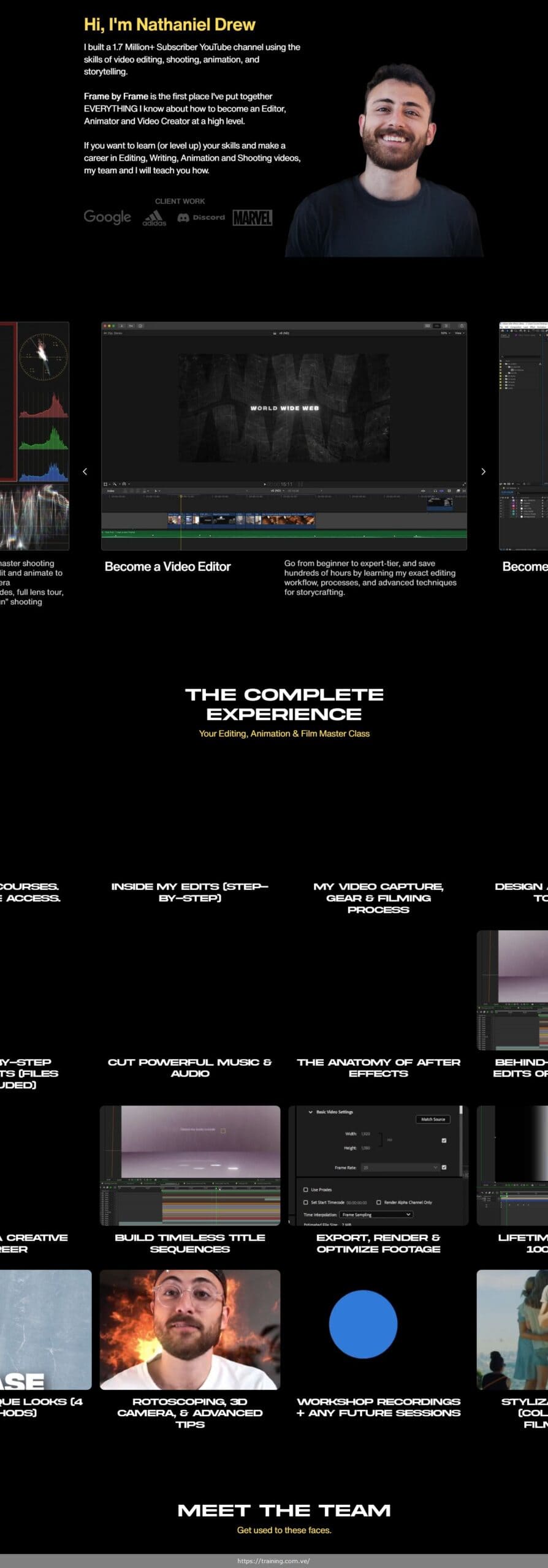
Become a world-class editor, animator, and creator with this comprehensive masterclass that teaches the entire filmmaking process from conception to completion. Join 1.79 million subscribers creator Nathaniel Drew as he shares the exact techniques that built his successful YouTube channel.
Here's Everything You'll Receive
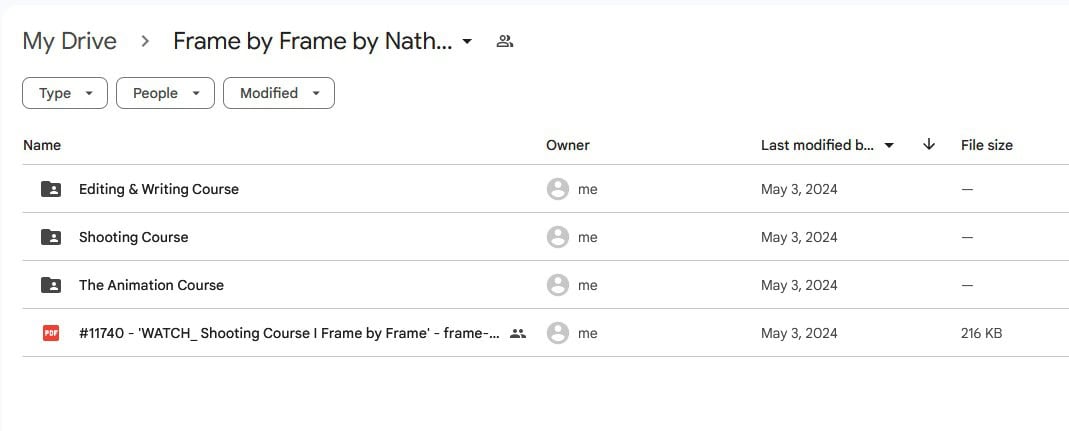
✅ Complete Course Content: 3 Full Courses (Editing, Animation, Shooting) with 100+ Video Lessons
✅ Bonus Materials: Workshop Recordings, Q&A Vault, Stylization Series & Tools
✅ High-Quality Formats: HD Videos, Project Files, Templates
✅ Instant & Lifetime Access: Get your personal access link immediately.
Why Choose CoursesDrop?
✅ Best Value Pricing – Get premium content with a significant saving.
✅ Complete & Verified Content – We guarantee you receive every module, lesson, and bonus.
✅ Instant & Lifetime Access – Get your personal access link immediately after purchase.
✅ Secure Payment Process – Your transaction is protected by SSL encryption via PayPal & Stripe.
✅ 30-Day Risk-Free Guarantee – Your purchase is protected by our full money-back guarantee.
What You Will Master in Frame by Frame
✅ Master the anatomy of professional video editing and learn the exact workflow used to create viral YouTube videos
✅ Build an animation toolbelt and learn After Effects from the ground up to create stunning visual effects
✅ Develop your unique visual style through advanced color grading, texture work, and motion graphics
✅ Write compelling video scripts using Nathaniel's proven “Clay Method” for structuring transformative content
✅ Shoot professional-quality footage with proper camera settings, lighting, and audio techniques
✅ Navigate the complete post-production process from rough cut to final export
✅ Create powerful intros, conclusions, and transitions that keep viewers engaged
✅ Master music selection and sound design to elevate your storytelling
Who Is This Course For?
- Complete beginners who want to learn video creation from scratch with no prior editing experience required
- Content creators and YouTubers looking to dramatically improve their production quality
- Freelance editors and animators seeking to expand their skillset and attract higher-paying clients
- Filmmakers who want to master the modern YouTube storytelling format
- Anyone ready to transform their creative vision into professional-quality videos
A Lesson-by-Lesson Breakdown of the Curriculum
Module 1: Begin
Editing Course: The “Writing Course” (Writing Great Videos)
- Lesson 1.1: Analysis of the 2 editing styles I use to make my videos
- Lesson 1.2: How each style impacts writing & pre-production process
- Lesson 1.3: Deep-dive into a 2.2 Million view video
- Lesson 1.4: My complete video planning process
- Lesson 1.5: Organization, titles, topics, and research methods
- Lesson 1.6: Visualization and structure techniques
- Lesson 1.7: My scripting system using the Notion app
Editing Course: Editing 101 (Beginning the Edit)
- Lesson 2.1: Edit a complete project with side-by-side instruction
- Lesson 2.2: Final Cut Pro timeline navigation
- Lesson 2.3: Viewer, inspector, and effects window mastery
- Lesson 2.4: Transitions and browser functionality
- Lesson 2.5: Modifying timeline settings and exporting
- Lesson 2.6: Essential keyboard shortcuts
- Lesson 2.7: Timeline layout, audio lanes, and cutting styles
Animation Course
- Lesson 3.1: Building an Animation Toolbelt custom-fit to your work
- Lesson 3.2: The 4 Questions to avoid wasting time and money
- Lesson 3.3: Finding and organizing inspirational material and layouts
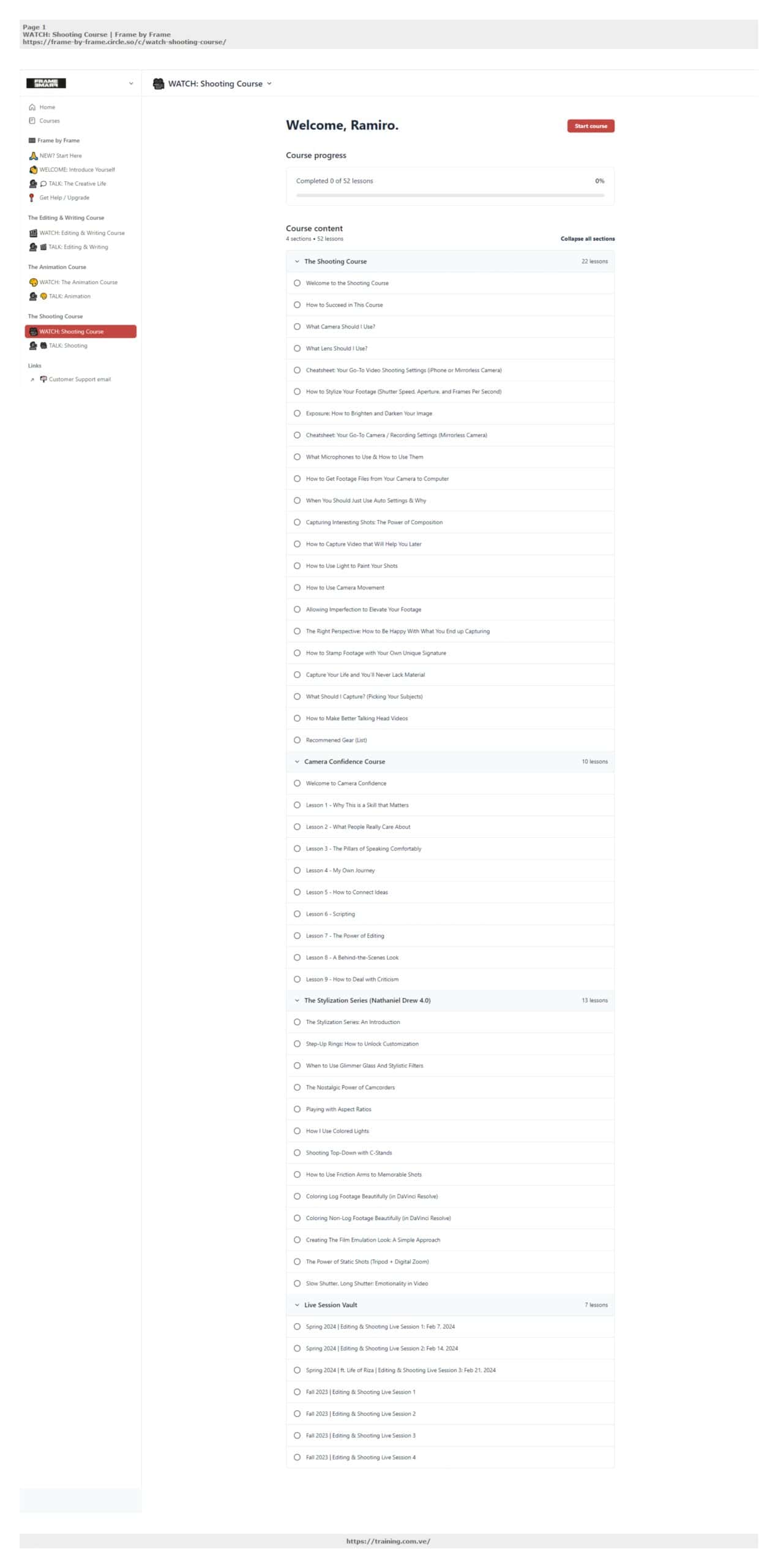
The Shooting Course
- Lesson 4.1: Creating original videos for editing and animation
- Lesson 4.2: Exact camera settings to use
- Lesson 4.3: Gear recommendations and equipment list
- Lesson 4.4: Audio recording techniques
- Lesson 4.5: Lighting setups
- Lesson 4.6: Run-and-gun filmmaking guides
Module 2: Craft
Editing Course: Navigating the Valley of the Edit (Create Your Rough Cut)
- Lesson 5.1: Master the Anatomy of the Edit
- Lesson 5.2: Linking Hooks, Intros, Body, Chapters, Scenes, and Conclusions
- Lesson 5.3: Cutting World-Class Intros
- Lesson 5.4: Crafting the Body and managing edit anxiety
- Lesson 5.5: Creating Powerful Conclusions using non-linearity
- Lesson 5.6: Finding and using music to elevate your cut
- Lesson 5.7: Favorite music sources and licensing
Animation Course
- Lesson 6.1: Textures deep-dive and map animations
- Lesson 6.2: Luminance and common texture mistakes
- Lesson 6.3: Creating custom textures
- Lesson 6.4: Anatomy of After Effects – Panels and Compositions
- Lesson 6.5: Playback, Frame Rates, and Transparency
- Lesson 6.6: Layers, Blending, and Keyframing
- Lesson 6.7: Hacking texture, color palettes, and motion types
- Lesson 6.8: Font selection and making videos feel distinct
- Lesson 6.9: Organizing files for complex projects
Module 3: Elevate
Editing Course: Polishing to Perfection (Finish Your Cut)
- Lesson 7.1: Mastering Your Elements – on-screen text
- Lesson 7.2: Resizing and adjusting opacity
- Lesson 7.3: Incorporating native transitions and effects
- Lesson 7.4: Isolating audio and mastering dynamics
- Lesson 7.5: Recutting music and retiming elements
- Lesson 7.6: Advanced keyframing techniques
- Lesson 7.7: Master color correction
- Lesson 7.8: Sound design and final mix
- Lesson 7.9: Behind-the-Scenes Mini-Documentary: “The Vienna” Video
Animation Course
- Lesson 8.1: Detailed breakdown – Picasso's Daily Routine sequence
- Lesson 8.2: Texture layers and effects
- Lesson 8.3: Pre-rendered elements and sub-animations
- Lesson 8.4-8.9: 6 animation breakdowns with optional files
- Lesson 8.10: Final project walkthrough
- Lesson 8.11: Extended student case study tear downs (40+ minutes)
Included Bonus Materials to Accelerate Your Results
- Workshop Recordings: Access to all live sessions with Q&A and feedback
- Stylization Series: Advanced color grading and filmmaking techniques
- Q&A Vault: Comprehensive answers to common questions
- Project Files: Download and work alongside actual project files
- Future Updates: Lifetime access to any new content added to the course
About Your Instructor: Nathaniel Drew
Nathaniel Drew was born in 1997 into a middle-class family in Los Angeles, California. He is a travel photographer and filmmaker who fell in love with languages many years ago and has dedicated himself to slow traveling through Latin America and Europe. With 1.79 million subscribers and over 114 million views on YouTube, Nathaniel has built one of the most respected channels in the creative education space.
Key Credentials & Accomplishments:
✅ YouTube Success – Built a channel with 1.79 million subscribers and 114+ million views
✅ Multilingual Creator – Fluent in French, Spanish & Italian
✅ Self-Taught Expert – Learned filmmaking through working for production companies around Portland and self-education
✅ Professional Experience – Worked as a videographer, editor, and production assistant on film sets
✅ Innovative Educator – Created comprehensive courses teaching his exact methods for video creation
✅ Global Traveler – His love of traveling has taken him to Mexico, Italy, Spain, Luxembourg, and Argentina
Accessing Your Course(s) After Payment:


Common Questions
Instantly. Once payment is confirmed, a Mega.nz download link is sent directly to your email. This link is also saved in your account for future access.
Yes, 100%. You’re getting the entire course—all video modules, PDFs, templates, and any included bonuses. Everything the creator released is included.
Yes. If the course isn’t delivered as promised and we can’t fix it within 24 hours, we’ll refund your full payment. Contact us anytime to request a refund.
We share previews, screenshots, and video samples of every course. Additionally, PayPal’s Buyer Protection covers your purchase—if something goes wrong, you’re protected.
Yes. We use encrypted, anonymous registration. Your real name is never required or shared. Your privacy matters to us.
Just message us with a screenshot of the issue. We’ll resolve it quickly, or issue a complete refund if we can’t.
Definitely. Send us the course name and details, and we’ll try to source it for you.
Live chat is fastest. Otherwise, send us an email and expect a quick response.
No. Just download and access your content. No premium accounts or additional tools required.
Yes. Buy once, own forever. All future updates are included free of charge.
Creator communities, personal coaching, live sessions, and proprietary software are not part of your purchase.