
BLOCK A: CRO CONTENT (for the buyer)

Builder Methods by Brian Casel
Introduction
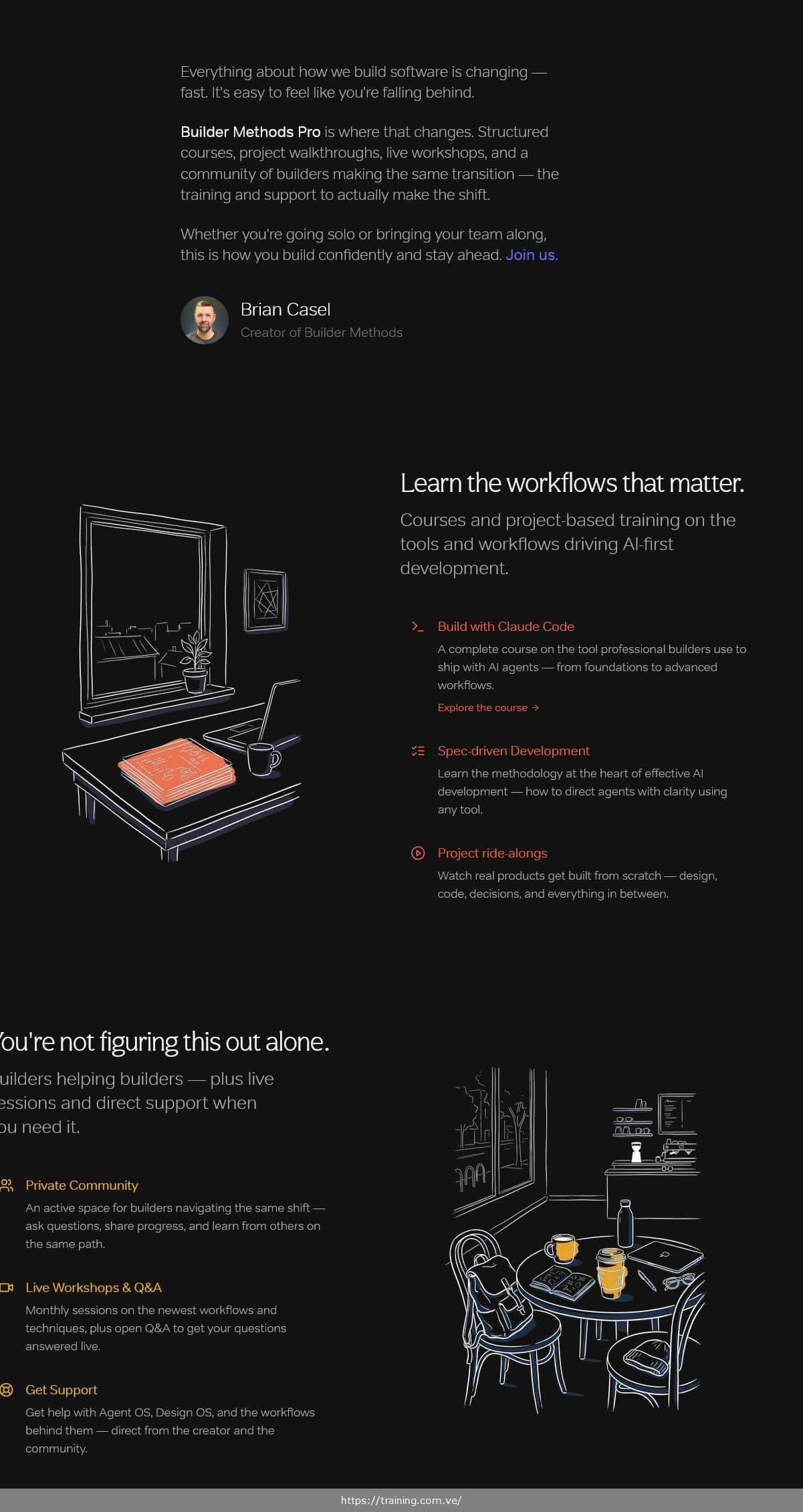
Builder Methods by Brian Casel is a comprehensive AI-first development training program designed for developers, founders, and teams who want to build confidently in the age of AI agents. Brian Casel — a multi-time bootstrapped SaaS founder with three successful exits including Restaurant Engine (sold 2015) and Audience Ops (sold 2021 for high six figures) — created this program to teach the workflows, systems, and mindset behind professional AI-assisted development. The program covers everything from foundational Claude Code skills to advanced autonomous agent workflows, spec-driven development, project-based ride-alongs, and deep-dive workshops, all built around practical, real-world application rather than surface-level tips. Originally priced at ~~$299~~/year.
Here's Everything You'll Receive
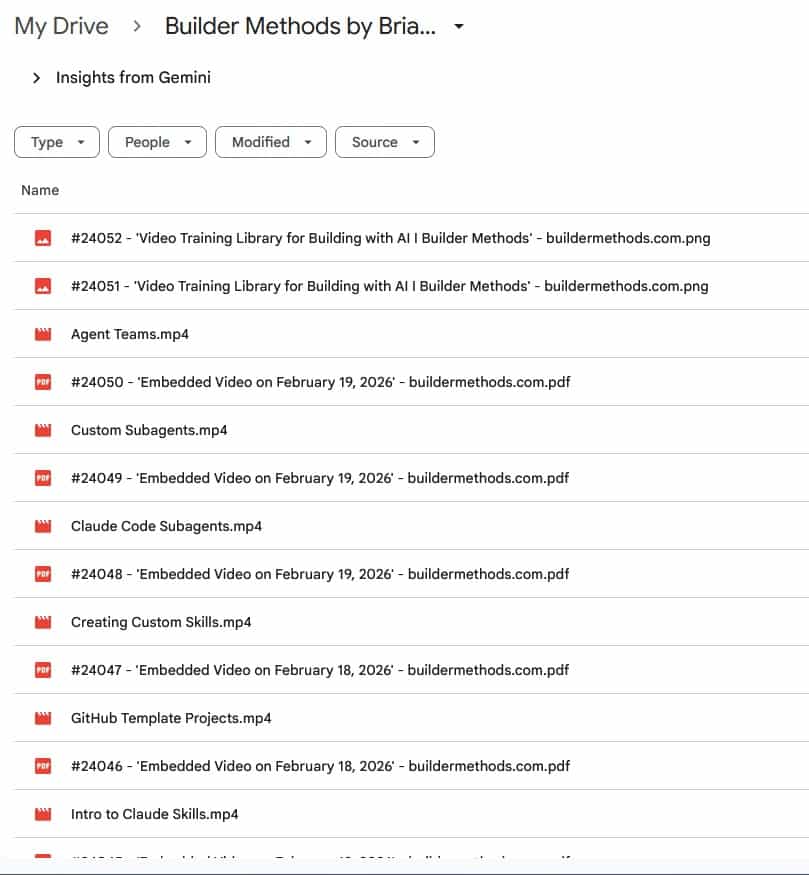
This download includes all recorded video training, workshop recordings, project walkthroughs, downloadable PDFs, reference documents, and subtitle files from the Builder Methods Pro program.
Course Stats (verified from Content Report):
39 video lessons | 37 downloadable PDFs | 6 transcript documents | Over 22 hours of video content | 14.14 GB total
✅ Complete Video Training Library (39 videos): All recorded lessons covering Claude Code from first launch to advanced autonomous agents, spec-driven development, Design OS, Agent OS, and full project ride-alongs — delivered as downloadable MP4 files.
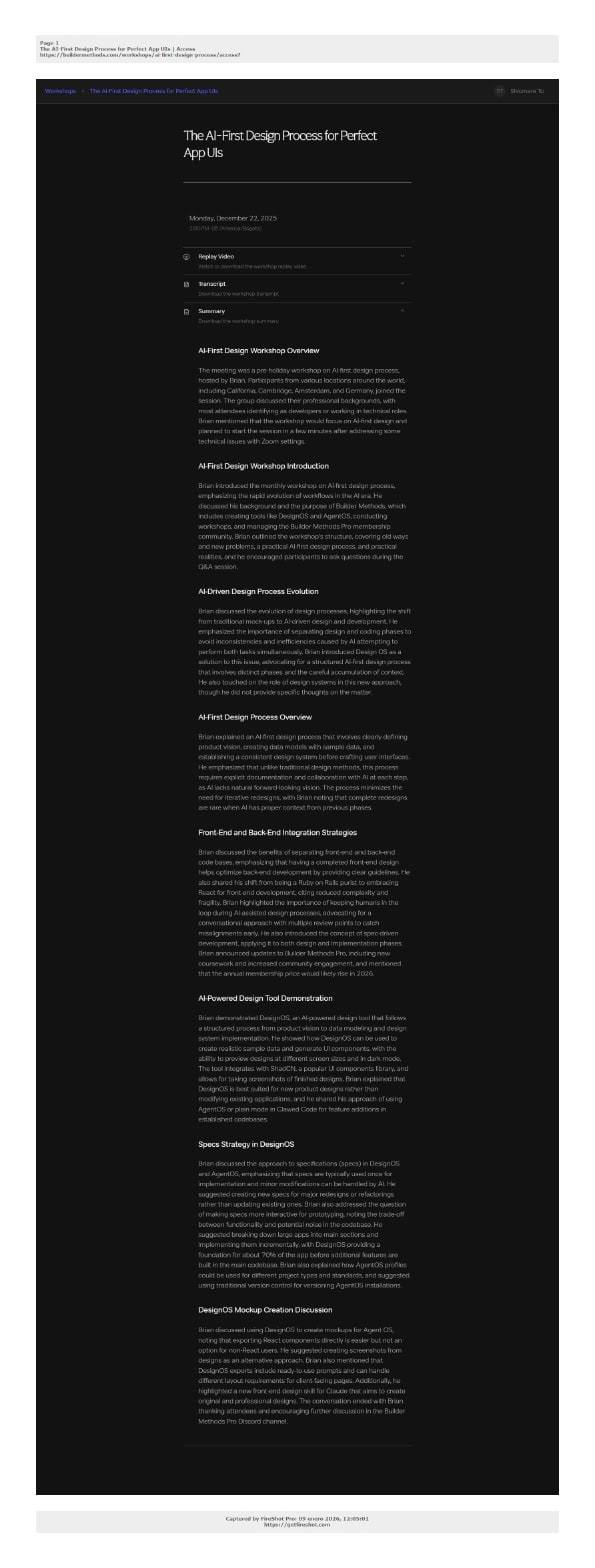
✅ Workshop & AMA Recordings (Access videos): Full-length recorded sessions including “Build with Claude Code AMA” (2h 3m), “Building with Autonomous Agents” (1h 32m), “Spec-Driven Development with Agent OS” (1h 53m), “The AI-First Design Process for Perfect App UIs” (1h 26m), and “Realities of Building with AI” (1h 47m).
✅ Builder Stories Interview Series: Long-form recorded interviews with indie builders Arvid Kahl (1h 20m), Brennan Dunn (1h 4m), and Colleen Schnettler (1h 3m) — unfiltered conversations on real-world AI building experiences.
✅ 37 Downloadable PDFs: Lesson companion pages, workshop reference materials, and session notes captured from the Builder Methods platform — including all course module pages and resource documents.
✅ 6 Transcript Documents: Full text transcripts from the AMA session, Builder Methods workshops, and key sessions for searchable reference.
✅ Subtitle Files (15 .vtt files): Closed captions for the core lesson videos for accessible learning.
> Note: This download includes all recorded training content, video lessons, workshop recordings, PDFs, and reference materials from the Builder Methods Pro program. Live monthly workshops, private community access, ongoing new content releases, and direct support from Brian Casel are available exclusively through an active Builder Methods Pro membership at buildermethods.com.
Why Choose CoursesDrop?
✅ 10+ Years of Trust — Delivering digital courses to students worldwide since 2014
✅ Complete & Verified Content — Every module and bonus included, or your money back
✅ 30-Day Money-Back Guarantee — Not satisfied? Full refund, no questions asked
✅ Instant Access — Download your course within minutes of purchase
✅ Secure Checkout — Protected transactions via PayPal & Stripe with SSL encryption
What You Will Master in Builder Methods
✅ Launch and configure Claude Code from scratch — understand the tool professional AI builders actually use, not just general-purpose chatbots, including how to set up your environment for the first time
✅ Apply spec-driven development to any project — learn the methodology at the heart of effective AI development, directing agents with structured specs instead of ad-hoc prompting and hoping for the best
✅ Build and manage Agent OS for your codebase — implement Brian's open-source system for injecting codebase standards into your coding agents so they build your way, consistently, whether you use Claude Code, Cursor, or any other tool
✅ Use Plan Mode and Task Lists in Claude Code — understand how to leverage Claude Code's planning and task-management capabilities to keep large, multi-step builds on track without losing context
✅ Deploy autonomous and multi-agent workflows — move beyond single-agent sessions and learn how to run agent teams, custom subagents, and Claude Code via GitHub Actions as a cloud coding agent
✅ Apply the AI-first design process with Design OS — understand how to get pixel-perfect app UI output from AI agents using Brian's Design OS system for consistent, professional results
✅ Build real features end-to-end on camera — watch and follow along as Brian builds a complete video library feature, member profile system, PDF invoice generator, series feature, and more — spec, implementation, and polish included
✅ Master Git workflows for AI-first builders — use Git Worktrees and Cursor to compare multiple agents' work simultaneously, and apply essential Git practices for teams building with AI agents
✅ Understand the Claude context window — learn exactly how Claude's context window works and how to structure your sessions and documentation to work within it effectively
✅ Keep your documentation fresh with AI assistance — implement an AI-assisted documentation workflow so your project docs stay accurate as your codebase evolves
✅ Evaluate and choose your Claude plan — make an informed decision about which Claude plan fits your actual usage, avoiding common over-spending or under-provisioning mistakes
Who Is This Course For?
- The Product Builder — You're building a SaaS, an app, or an internal tool and you want a clear, repeatable process for shipping with AI rather than scattered YouTube tips and Discord rabbit holes. You've dabbled with Cursor and ChatGPT but still feel like you're improvising every session. Builder Methods gives you the structured methodology to ship real features confidently.
- The Career Developer — You've been writing code professionally for years, maybe a decade or more, and you see the industry shifting fast toward AI-first workflows. You're not afraid of the tools — you just want a practitioner's guide, not a beginner tutorial, on how to make the transition without rebuilding your habits from scratch.
- The Team Lead — Your team is already using AI tools but everyone's doing it their own way, leading to inconsistent quality, duplicated effort, and no shared standards. You need a common methodology — spec-driven development and Agent OS — that your team can adopt as a unified workflow rather than 10 individual experiments.
- The Ambitious Newcomer — You've seen vibe coding videos on YouTube and you understand the potential, but you're smart enough to know that building real products requires more than stringing prompts together. You want to learn how serious builders actually use AI from day one, not pick up bad habits you'll have to unlearn.
- The Bootstrapped Founder — You're building something yourself, juggling product decisions, design, and code. You don't have the bandwidth to stay on top of every new AI tool release. You need a trusted practitioner who filters the noise, teaches proven workflows, and builds in public so you can see exactly what real usage looks like.
A Lesson-by-Lesson Breakdown of the Curriculum
Builder Methods Pro is a video library program with no fixed module sequence — content is organized by topic and updated continuously. The following are all 39 recorded lessons and workshops extracted from the course files, grouped by content type.
Core Methodology & Foundations
These lessons establish the principles and mindset behind Brian's approach to AI-first development — the thinking that underpins everything else in the program.
- The Builder Method — The foundational lesson explaining Brian's overall approach to building with AI agents: the philosophy, the workflow model, and what separates professional AI builders from casual users. (39m 34s)
- Spec-Driven Development — An introduction to the spec-driven development methodology: why writing detailed specs before prompting produces dramatically better agent output, and how to structure a spec that an agent can actually follow. (10m 51s)
- Realities of Building with AI — Access — A deep-dive workshop (1h 47m) on the real-world experience of building with AI agents: what works, what breaks, what to expect, and how to set your process up for sustainable productivity rather than frustrating sprints.
Build with Claude Code — Complete Course
The foundational course on Claude Code — from installation to advanced workflows. These lessons take you from zero to confidently running Claude Code sessions on real projects.
- Launching Claude Code (for the first time) — Getting the tool installed, authenticated, and running your very first session. (5m 47s)
- The claude.md file & .claude folder — How to use Claude's project configuration files to define your codebase context, coding standards, and persistent instructions. (3m 15s)
- Plan Mode — Using Claude Code's built-in plan mode to review proposed changes before they execute, giving you a checkpoint to catch misalignments early. (8m 40s)
- Tasks Lists in Claude Code — How Claude Code tracks multi-step work as structured task lists, and how to use this feature to manage complex, multi-file builds without losing your place. (10m 24s)
- Clarifying Questions (AskUserQuestion tool) in Claude Code — How Claude Code asks you for clarification mid-task, when to encourage it, and how to configure your prompts to get better clarifying questions. (11m 50s)
- The Claude Code Context Window, Explained — A practical explanation of how Claude's context window works, how it affects long sessions, and how to structure your work to stay within it without losing critical context. (22m 44s)
- Running Claude Code in Cursor or VS Code — How to run Claude Code inside Cursor or Visual Studio Code instead of the terminal, and when each setup makes sense. (2m 58s)
- Which Claude plan do you need to purchase — A clear breakdown of Anthropic's Claude subscription tiers for builders: which plan fits casual usage vs. heavy daily builds, and how to avoid paying for capacity you don't need. (3m 57s)
- Claude Code YOLO mode (–dangerously-skip-permissions) — What YOLO mode is, when it's appropriate to use, and the specific risks and trade-offs of skipping Claude Code's permission prompts. (9m 48s)
- Git essentials for Claude Code builders — The Git concepts and commands every Claude Code builder needs: branching, committing, and using Git as a safety net when AI agents make unexpected changes. (35m 28s)
- GitHub Template Projects — Setting up reusable GitHub repository templates so every new project starts with your standards, folder structure, and configuration already in place. (4m 21s)
- Keep Your Docs Fresh: An AI-Assisted Documentation Workflow — A practical workflow for using AI to keep your project documentation accurate as your codebase grows and evolves. (13m 12s)
- Using Claude GitHub Actions as a cloud coding agent — How to run Claude Code as a GitHub Actions workflow in the cloud — building and committing code without running anything locally. (17m 8s)
- Build with Claude Code AMA — Access — A full recorded Ask Me Anything session (2h 3m 16s) where Brian answers real builder questions about Claude Code workflows, common failure modes, and advanced usage patterns.
Agent OS — Codebase Standards for AI Agents
These lessons and workshops cover Agent OS, Brian's open-source system for injecting codebase standards into AI coding agents so they build your project your way.
- Spec-Driven Development with Agent OS — Access — A complete workshop (1h 53m 27s) on implementing spec-driven development using Agent OS: how to write specs that agents actually follow, and how Agent OS structures your project context for consistent results.
- Intro to Claude Skills — An introduction to Claude's Skills feature and how it integrates with Agent OS to give your agent specialized, reusable capabilities. (6m 7s)
- Creating Custom Skills — How to write and configure custom Skills in Claude Code to build reusable, project-specific tools your agent can call during any session. (17m 43s)
- Custom Subagents — How to create specialized subagents within Claude Code with defined roles and constraints — the building block for multi-agent workflows. (9m 51s)
- Claude Code Subagents — A deeper look at how Claude Code's native subagent system works and how to structure subagent chains for complex tasks. (13m 18s)
- Agent Teams — How to build and coordinate teams of agents working on the same codebase simultaneously, including strategies for avoiding conflicts and merging results. (9m 23s)
- Comparing Multiple Agents' Work with Git Worktrees & Cursor — A practical technique for running multiple agent sessions in parallel using Git Worktrees, then comparing outputs in Cursor before choosing the best result. (29m 41s)
- Building with Autonomous Agents — Access — A full workshop (1h 32m 27s) on autonomous agent workflows: how to set up agents that complete multi-step tasks without constant human intervention, and when full autonomy is appropriate vs. when you need checkpoints.
Design OS — AI-First UI Design
- Design OS: First look! — Brian's first look at Design OS, his system for getting consistent, professional UI output from AI coding agents — a walkthrough of the core concepts and initial setup. (37m 20s)
- The AI-First Design Process for Perfect App UIs — Access — A workshop (1h 26m 13s) covering the complete AI-first design process: how to use Design OS and structured design specs to get AI agents to produce clean, consistent UI that doesn't need extensive manual cleanup.
Project Ride-Alongs
Watch real products and features get built from scratch — design decisions, spec writing, coding sessions, and polishing all on camera. These are unscripted, real-world build sessions.
- Video Library Feature: Spec, Implementation, Polish — A complete feature build (30m 21s) showing how to take a video library feature from initial spec through Claude Code implementation to a polished final result.
- Building the Series Feature in the Videos Library — A full ride-along (46m 10s) adding a video series grouping feature to the library — demonstrates how to spec a new relational feature and implement it with Claude Code.
- Member Profiles: Design & spec for this new feature — How Brian approaches designing and writing the spec for a new member profiles feature before touching any code. (30m 57s)
- Implementing Member Profiles and Enhancements — The implementation session (1h 43m 35s) showing the full Claude Code build of the member profiles feature after the spec is finalized, including post-build enhancements.
- Building an Invoice PDF feature using Cursor & Composer — Building a PDF invoice generation feature using Cursor's Composer mode — a practical demonstration of Claude Code–adjacent AI tooling. (18m 3s)
- Building a marketing site template (Then using it for real) — A project ride-along (51m 39s) building a reusable marketing site template with Claude Code, then immediately applying it to an actual product site.
Builder Stories — Interview Series
Long-form conversations with indie builders who are navigating the same AI development transition. Unfiltered, experience-based discussions.
- Builder Stories: Arvid Kahl — A conversation (1h 20m 22s) with Arvid Kahl, author of “The Embedded Entrepreneur” and indie hacker known for building and selling Feedback Panda, on his approach to AI-first building.
- Builder Stories: Brennan Dunn — A conversation (1h 4m 28s) with Brennan Dunn, founder of RightMessage and creator of the “Personalise” course, on integrating AI into his development and product workflows.
- Builder Stories: Colleen Schnettler — A conversation (1h 3m 21s) with Colleen Schnettler, co-host of the “Hammerstone” podcast and indie SaaS builder, on her real-world experience building with AI agents.
OpenClaw Masterclass Content
- First things you need to do in OpenClaw — Getting started with OpenClaw, covering the essential first configuration steps. (6m 13s)
- OpenClaw mindset you need to have — The mental model and expectations to bring to OpenClaw sessions for productive results. (4m 40s)
- Setting up a morning brief — How to configure a morning brief workflow in OpenClaw for a structured, context-setting start to each build session. (6m 2s)
Included Resources
- 📕 37 downloadable PDFs: Course module page captures and reference documents for all major lessons and workshops
- 📕 6 transcript documents: Full text transcripts from the Claude Code AMA, Builder Methods workshops, and key sessions
- 📕 15 subtitle files (.vtt): Closed captions for core lessons
Included Bonus Materials to Accelerate Your Results
✅ Builder Methods Workshop: Spec-Driven Development with Agent OS — Full recorded workshop with transcript. Covers the complete spec-driven workflow using Agent OS in a live session format where Brian works through real examples, not contrived demonstrations. Delivered as MP4 + transcript document.
✅ Builder Methods Workshop — December 2025 Session — A recorded live workshop session (with full transcript) covering the latest workflows, agent updates, and community Q&A from December 22, 2025.
✅ Builder Methods Workshop Summary PDF — A concise summary document (PDF) from the October 21, 2025 workshop capturing key decisions, workflow recommendations, and action items for immediate implementation.
✅ Builder Stories Interview Series (3 episodes) — Full-length recorded conversations with Arvid Kahl, Brennan Dunn, and Colleen Schnettler — real builders sharing unfiltered perspectives on AI-first development.
About Your Instructor: Brian Casel

Brian Casel is a multi-time bootstrapped founder, product designer, and teacher who has spent over 16 years building software products from scratch. He began his career as a freelance web designer, taught himself the craft, and progressively built — and exited — a series of product businesses without outside funding.
His first major product, Restaurant Engine (launched 2011), provided ready-made websites for restaurants and became an early real-world example of the productized service model. He sold it in 2015 for low six figures. He then founded Audience Ops, a done-for-you content service for SaaS and B2B companies that grew to a team of 25, served hundreds of clients, accumulated several million in revenue, and sold in September 2021 for high six figures. He subsequently built ZipMessage, an async video messaging tool, which he rebranded as ClarityFlow in 2023 — a client communication platform he continues to operate today.
Key Credentials & Accomplishments:
✅ Three successful bootstrapped exits: Restaurant Engine (2015, low six figures), Audience Ops (2021, high six figures), and ZipMessage — all built without venture funding
✅ Creator of Agent OS — an open-source system for injecting codebase standards into AI coding agents, available on GitHub and actively maintained under the Builder Methods umbrella
✅ Host of Bootstrapped Web, a long-running podcast (2014–2024) co-hosted with Jordan Gal, covering the unfiltered reality of bootstrapping software businesses — featured on Apple Podcasts
✅ Guest on Startups for the Rest of Us (episodes 208, 331, 474), Mixergy, Bean Ninjas Podcast, 6 Figure Creative, and other entrepreneurship podcasts — discussing productized services, SaaS transitions, and bootstrapping
✅ Creator of the Productize course, teaching freelancers and founders how to package services into scalable, systematized offerings — one of his first educational products before shifting focus to Builder Methods
✅ Founder of Builder Methods (launched 2025), a training platform specifically for professional developers and founders making the transition to AI-first development workflows
BLOCK B: SEO CONTENT (for Google)
What Problems Does Builder Methods Solve?
“I've been using AI coding tools for months but I'm still just prompting and hoping — there's no real system to what I'm doing” — Builder Methods addresses this directly through spec-driven development, the methodology at the program's core: spending time planning collaboratively with your agent before writing code, so every session starts with a structured spec rather than a vague request.
“Every Claude Code session I start from scratch — the agent doesn't know my codebase standards or conventions” — The Agent OS workshops teach you how to build a persistent system that injects your codebase standards into every AI session, so your agent builds your way regardless of which tool you're using.
“I'm a developer who knows my tools but I have no idea how to actually run multi-agent workflows or autonomous builds” — The program has dedicated lessons on Claude Code Subagents, Custom Subagents, Agent Teams, and a full workshop on Building with Autonomous Agents that walk through real autonomous workflow setups, not toy examples.
“I can build simple features with AI but real product work — complex features, UI design, database changes — still feels risky and unpredictable” — The project ride-along sessions show complete, unscripted feature builds from spec to polished result: video library, member profiles, series features, PDF generation. Watching the real process — including the decisions and adjustments — builds pattern recognition that tutorials don't provide.
“I don't know if I should use Claude Code, Cursor, or some other tool — there's a new one every week” — Brian's approach is tool-agnostic at the methodology level: spec-driven development and Agent OS work with Claude Code, Cursor, or any AI coding tool. The program teaches you the underlying workflow principles so you're not starting over every time a new tool releases.
“My team is using AI but everyone's doing it differently — there's no consistency in our output or quality” — The spec-driven development methodology and Agent OS give teams a shared standard: the same spec format, the same codebase context injection, the same checkpoint workflow. Builder Methods Pro includes a team membership plan specifically designed for coordinated team adoption.
What Makes Builder Methods Different
- Built by a practitioner who ships real products, not a content creator — Brian Casel is actively building ClarityFlow, Agent OS, Design OS, and other tools using the exact workflows he teaches. The ride-along sessions aren't scripted — they're real builds with real decisions. This creates a fundamentally different learning context than watching someone build contrived tutorial examples.
- Methodology-first, tool-second approach — The course is built around spec-driven development as a transferable workflow discipline rather than a specific tool's feature set. This means the core skills remain valuable as AI tools evolve, rather than becoming obsolete when Claude Code or Cursor updates their interface.
- Agent OS and Design OS are actual open-source tools, not just concepts — Unlike courses that teach abstract principles, Builder Methods gives you two real, maintained open-source systems (Agent OS on GitHub, Design OS in development) that you can implement in your own projects immediately.
- Builder Stories provides real peer context, not curated success stories — The interview series with Arvid Kahl, Brennan Dunn, and Colleen Schnettler presents unfiltered conversations with working indie builders navigating the same transition — the struggles, the pivots, the things that didn't work — rather than polished case studies with pre-determined happy endings.

Frequently Asked Questions About Builder Methods
What is Builder Methods by Brian Casel about?
Builder Methods by Brian Casel is a video training program for developers and founders making the shift to AI-first development. The program covers Claude Code from the ground up, spec-driven development methodology, Agent OS for codebase standards, Design OS for AI-assisted UI work, autonomous agent workflows, and real project ride-alongs — all designed to help builders ship with AI confidently and consistently rather than improvising every session.
Who created Builder Methods?
Builder Methods was created by Brian Casel, a multi-time bootstrapped SaaS founder who has built and exited three software businesses — including Restaurant Engine (sold 2015) and Audience Ops (sold 2021 for high six figures). He is the creator of Agent OS (open-source on GitHub), host of the Bootstrapped Web podcast (2014–2024), and has been building and teaching about software products publicly for over a decade.
What is included in Builder Methods?
Based on the verified content report: 39 video lessons, 37 downloadable PDFs, 6 transcript documents, and 15 subtitle files. Total video content runs over 22 hours (22h 31m 23s). Total download size is 14.14 GB. Content includes the complete Build with Claude Code course, Agent OS and Design OS workshops, project ride-alongs, the Builder Stories interview series, and OpenClaw masterclass sessions.
Who is Builder Methods best suited for?
Builder Methods is best suited for: (1) product builders developing a SaaS or app with AI and wanting a structured process instead of scattered approaches; (2) career developers with coding experience who are ready to make a deliberate transition to AI-first workflows; (3) team leads who want a shared methodology their whole team can adopt consistently. It is also well-suited for ambitious newcomers who want to learn professional-grade AI building practices from the start rather than picking up vibe-coding habits they'll need to unlearn.
What will I learn in Builder Methods?
Key learnings include: how to install, configure, and run Claude Code for real project work; how to write structured specs that direct AI agents reliably; how to implement Agent OS to maintain codebase standards across every session; how to build with autonomous agents and multi-agent teams; how to use Design OS for consistent AI-generated UI; how to use Git Worktrees to run parallel agents and compare results; and how to build complete features end-to-end with Claude Code through project ride-alongs.
What format is Builder Methods delivered in?
The program is delivered as downloadable files. Videos are MP4 format, totaling 39 lessons and over 22 hours of content at 14.14 GB. Supporting materials include 37 PDF documents, 6 text transcripts (.txt), and 15 subtitle files (.vtt). No streaming subscription or internet connection is required after download.
Does Builder Methods include any bonus materials?
Yes. The download includes the complete Builder Stories interview series (three long-form interviews with Arvid Kahl, Brennan Dunn, and Colleen Schnettler), recorded workshop sessions from December 2025, a builder methods workshop summary PDF from October 2025, and full text transcripts for key sessions. The course material also includes all workshop access recordings for Spec-Driven Development with Agent OS, Building with Autonomous Agents, The AI-First Design Process for Perfect App UIs, and Realities of Building with AI.
What is Brian Casel known for?
Brian Casel is known for building and bootstrapping multiple software businesses to successful exits (Restaurant Engine sold 2015, Audience Ops sold 2021 for high six figures), for creating Agent OS (an open-source codebase standards system for AI coding agents), for the Bootstrapped Web podcast (2014–2024), and for his Productize course teaching service businesses how to systematize and scale. He is currently building ClarityFlow (a client communication platform) and Builder Methods (the AI development training program).
How is Builder Methods different from other AI development courses?
Most AI development courses focus on specific tools or show scripted tutorial builds. Builder Methods is structured around spec-driven development as a methodology that works across tools, gives you real open-source systems (Agent OS, Design OS) to implement in your own projects, and shows unscripted real product builds — including decisions, course corrections, and the parts that don't go smoothly. The Builder Stories interview series also provides genuine peer context from working indie builders rather than polished influencer case studies.